
Living Museum of Learning
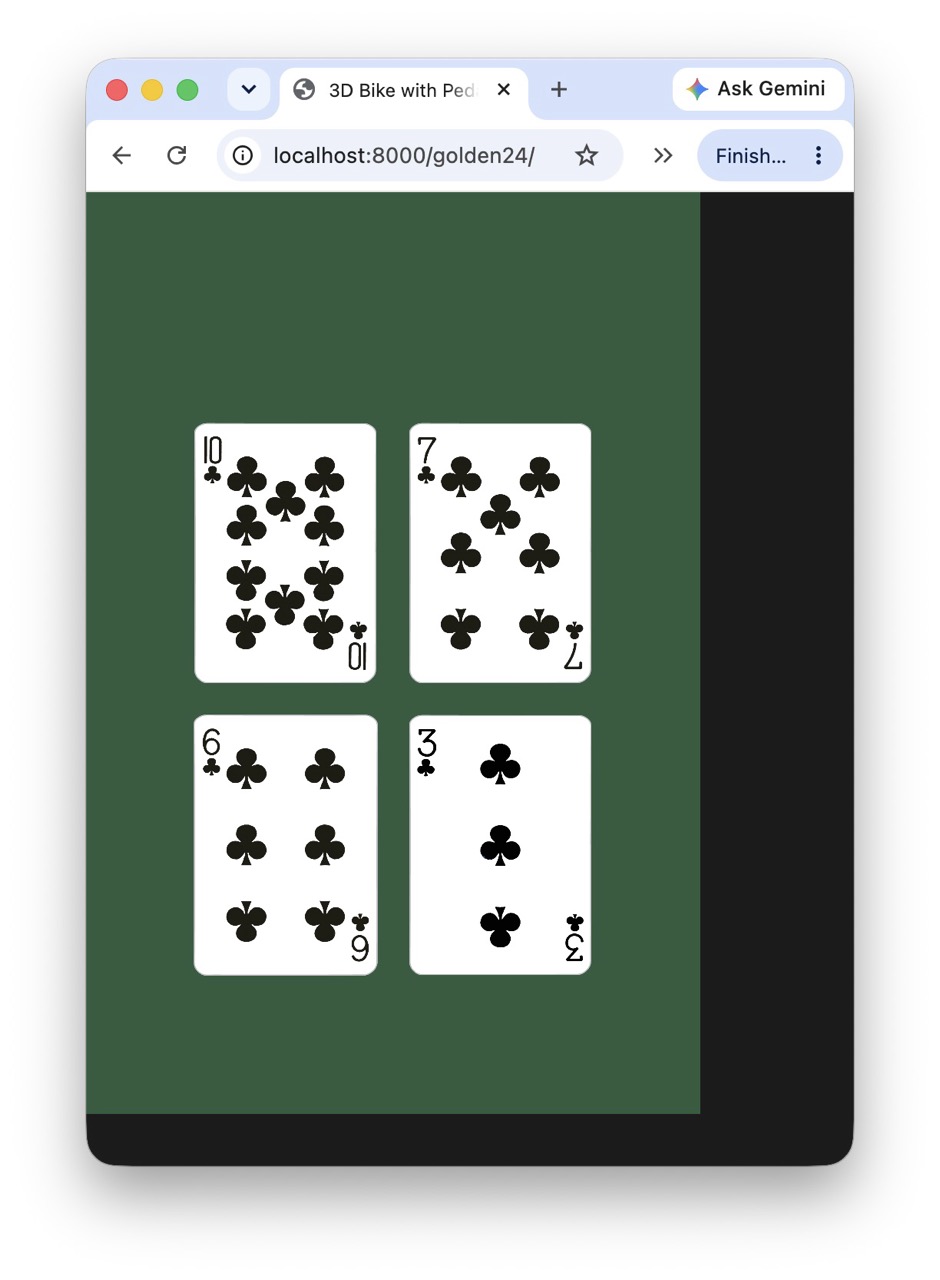
The First Four Cards
Today, the Living Museum learned how to make a game.
Not a finished game.
Not even a complete web game.
Just four cards.
But they were real.
For the first time, Golden 24 appeared inside the Museum as a p5.js game running in a browser.
The four cards used the same card artwork as the iOS version. They were arranged in the familiar 2 × 2 layout we designed for the small iPhone screen, on the same beautiful dark green used by Golden 24:
RGB(46, 92, 61)
Then something happened that made the little experiment a game rather than a picture.
One of the cards could be dragged.
Press it.
Move it.
The card follows.
Release it.
It returns to its place.
That's all.
And that's enough.
Because until today, I had never made a web game.
We didn't begin by designing a complete browser version of Golden 24. We didn't begin with multiplayer, room codes, accounts, frameworks, or a complicated architecture.
We copied an existing p5.js project, loaded one real Golden 24 card, discovered that its original image was enormous, scaled it down, reused the iOS game's dark green, arranged four cards in the familiar 2 × 2 pattern, and finally made one card respond to the user's hand.
One tiny step at a time.
The next step will be to make a card land on another card.
Then they can become one.
Then an operation.
Then another card.
And eventually, the little browser game will speak the same Game Bridge language as the iOS games.
That is when something much bigger becomes possible:
An iPhone can play with an Android phone.
A student in England can play with me in Toronto.
A browser can join the same four-letter room as an iOS app.
But none of that was necessary today.
Today, four cards were enough.
The Museum's Golden 24 had begun.
And perhaps the most appropriate way to mark the day is this:
We didn't build the whole game.
We made one card move.
Episode 1: The Browser Moves the Table
Then came the first real test.
Not on my Mac.
On a phone.
I put the game online at muzhi.cn/golden24/ and touched the 10♣ with my finger.
The card moved.
So did the page.
😂
The browser was doing exactly what a browser normally does when someone drags a finger across a page: it interpreted the gesture as a possible scroll.
But this was a game.
Inside the game, a finger should move a card—not move the Museum page.
For a moment, this was exactly the kind of thing I had worried about when we started making a web game.
Would touch interaction become another complicated web-development problem?
We tried the smallest possible fix.
We told the canvas:
canvas.elt.style.touchAction = "none";
And it worked.
The card moved.
The page stayed still.
That tiny line of code felt surprisingly important.
The browser has its own ideas about what a finger means.
A game has to tell the browser:
This gesture belongs to me.
Then we faced another familiar problem.
How much screen does the game actually have?
Just like an iOS app, our game cannot simply assume that every device is the same size. A phone in portrait mode, a desktop browser, and another phone may all give the game different amounts of space.
So instead of reaching for complicated web-developer tools, we made another tiny piece of Donald infrastructure:
function debug(message) {
fill(255);
textSize(16);
text(message, 10, 25);
}
Now the game can tell us what it sees with one short line:
debug("viewport: " + window.innerWidth + " × " + window.innerHeight);
No browser archaeology.
No mysterious developer console.
The game simply tells us.
And that is Episode 1 of the web game.
We still haven't made Golden 24.
We have only made four cards.
But now those four cards can live inside a real browser, respond to a real finger, refuse to let the page scroll away, and tell their curator how much screen they have been given.
That's already enough to make the next experiment irresistible.
The game is beginning to teach its creator how the web works.